REFRACT
Photography Analysis & Enhancement
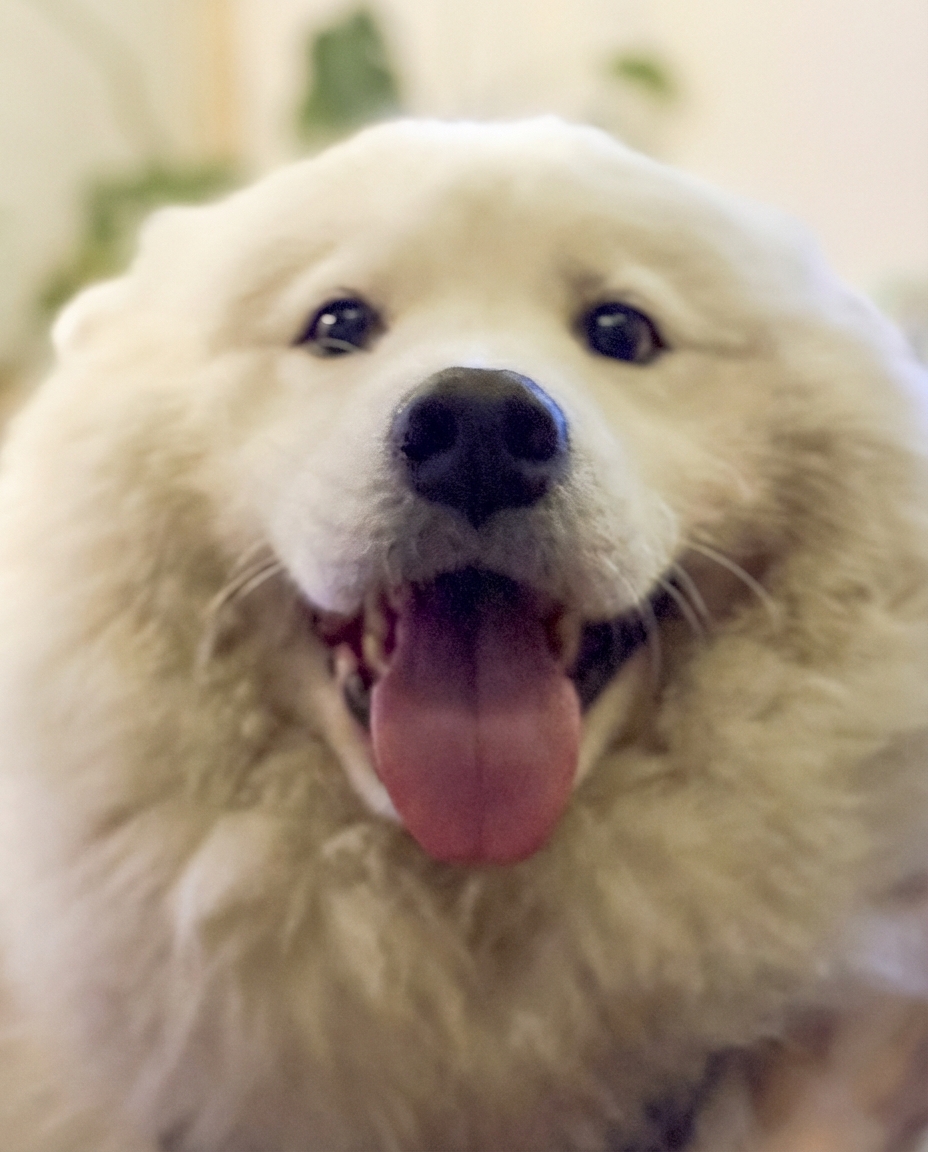
IMG_1004.jpeg
Multi-LLM Analysis
Consensus Score
Original Review
A charming pet portrait that captures a great expression but suffers from missed focus (eyes are soft) and indoor lighting color casts. Editing should focus on cleaning up the white balance to make the fur look pristine while accepting the dreamier, soft-focus aesthetic.
- Correct White Balance and Tint
- Boost Exposure and Whites
- Selective Sharpening on Nose
The image is a charming close-up with pleasing softness and a warm indoor feel, but it reads a bit dim and warm, and facial detail is slightly muted. A modest exposure/white balance correction plus targeted eye/nose enhancement and controlled noise reduction would noticeably improve clarity while keeping the gentle mood.
- Crop slightly tighter and align the face centrally (trim some bottom/side fluff) to emphasize the eyes and nose; keep enough headroom so the ears don’t feel cramped
- Global tone adjustment: raise exposure about +0.3 to +0.6, reduce highlights (-10 to -25) to protect white fur, and lift shadows (+10 to +25) to open the eyes/muzzle while keeping blacks slightly anchored
- Correct white balance slightly cooler (reduce Temp a bit) and add a small Tint adjustment toward magenta if needed; then reduce yellow/orange saturation in the background via HSL to keep fur looking clean
This is a charming pet portrait with great subject expression, but suffers from soft focus and slight underexposure that diminishes the impact. The priority should be selective sharpening of key features and brightening to showcase the beautiful white fur texture. The warm, inviting atmosphere should be preserved while correcting the slight yellow cast for more accurate color.
- Apply sharpening to eyes and nose area using unsharp mask (Amount: 80, Radius: 1.0, Threshold: 2)
- Increase overall exposure by +0.4 to +0.6 stops, focusing on lifting midtones and shadows
- Adjust white balance by reducing yellow/warm cast (Temperature: -200 to -300K) for more accurate white fur rendering
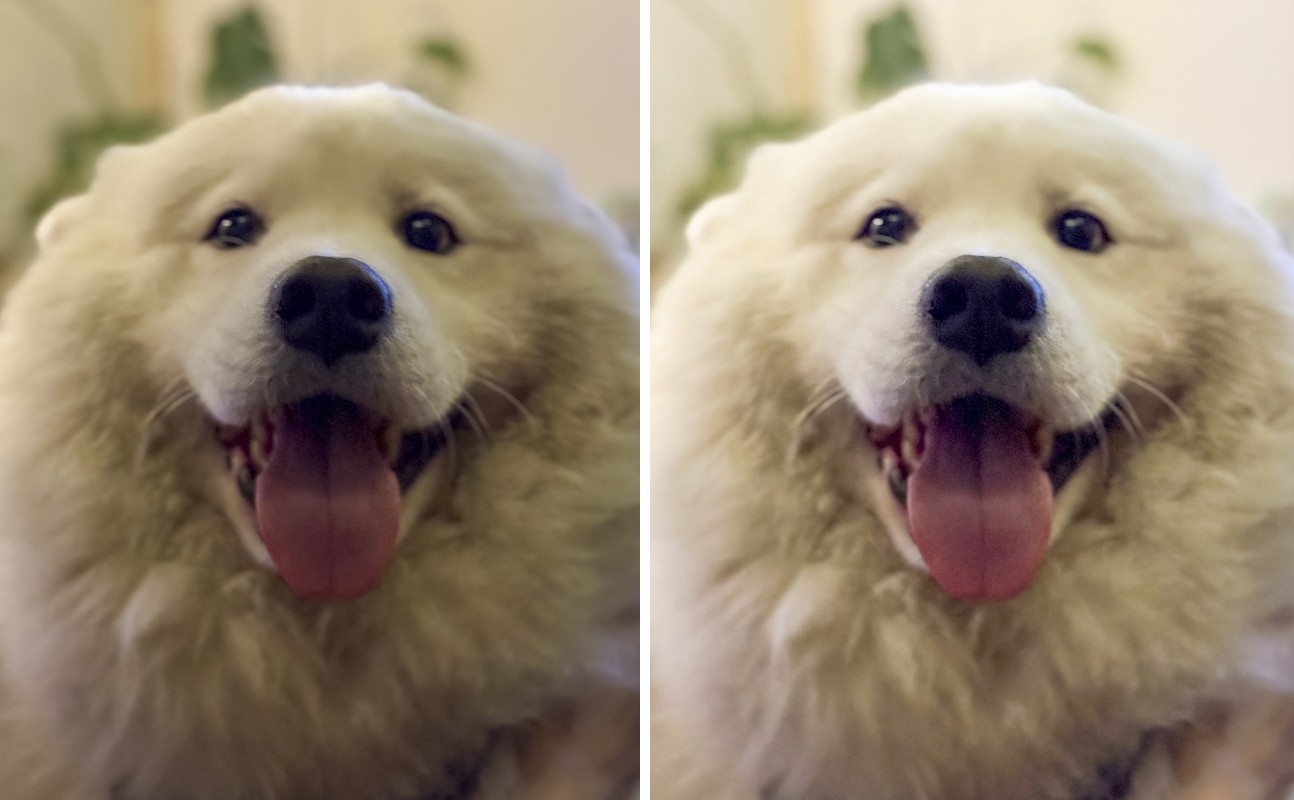
Combined Improvements Applied:
- Correct White Balance and Tint
- Boost Exposure and Whites
- Selective Sharpening on Nose
- Apply Noise Reduction
- Crop slightly tighter and align the face centrally (trim some bottom/side fluff) to emphasize the eyes and nose; keep enough headroom so the ears don’t feel cramped
- Global tone adjustment: raise exposure about +0.3 to +0.6, reduce highlights (-10 to -25) to protect white fur, and lift shadows (+10 to +25) to open the eyes/muzzle while keeping blacks slightly anchored
- Correct white balance slightly cooler (reduce Temp a bit) and add a small Tint adjustment toward magenta if needed; then reduce yellow/orange saturation in the background via HSL to keep fur looking clean
- Local enhancements: use a radial mask on the eyes/nose to add texture/clarity (+5 to +15) and a tiny exposure lift (+0.1 to +0.3); add subtle sharpening with masking (high masking so it targets edges) and mild luminance noise reduction (15–30)
- Background separation: apply a gentle background mask to reduce clarity/texture slightly and/or darken the background a touch; optionally add a subtle vignette
- Apply sharpening to eyes and nose area using unsharp mask (Amount: 80, Radius: 1.0, Threshold: 2)
- Increase overall exposure by +0.4 to +0.6 stops, focusing on lifting midtones and shadows
- Adjust white balance by reducing yellow/warm cast (Temperature: -200 to -300K) for more accurate white fur rendering
- Add clarity or texture adjustment (+10 to +15) to enhance fur detail without over-sharpening
- Increase contrast in the eyes and nose using local adjustments to enhance depth
Before & After Comparison