REFRACT
Photography Analysis & Enhancement
IMG_0984.jpeg
Multi-LLM Analysis
Consensus Score
Original Review
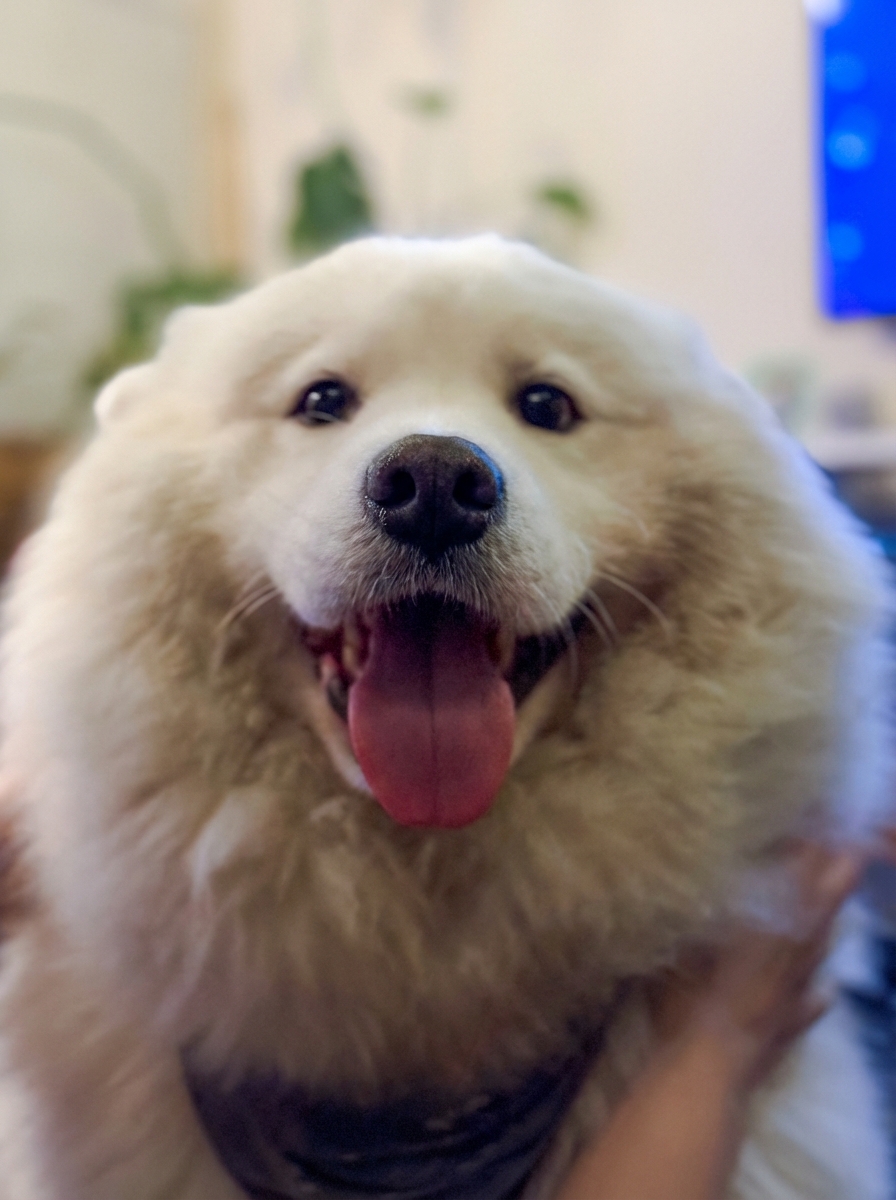
A charming and emotive pet portrait that is technically hindered by low-light indoor conditions. The primary goal is to clean up the color temperature and attempt to recover sharpness in the facial features while maintaining the soft, cuddly aesthetic.
- Correct White Balance (reduce Temp)
- Smart Sharpening / Texture
- Increase Exposure and Whites
The image has a charming, intimate pet-portrait moment, but it reads a bit dim and warm, with softness on the facial details. Modest exposure/WB correction plus targeted sharpening and noise control will make the eyes/nose pop while keeping the background pleasantly unobtrusive.
- Increase overall exposure slightly (+0.2 to +0.4 EV) while pulling highlights down (-10 to -25) to keep the white fur from looking flat or clipping
- Correct white balance by cooling a touch (Temp -200 to -600K) and adding a hint of magenta (+2 to +6) to neutralize the indoor yellow/green cast in the whites
- Apply selective sharpening/texture to the face (mask the eyes, nose, and muzzle): Texture +10 to +20, Clarity +5 to +10, Sharpening with Masking 70–90; avoid sharpening the background
This is an endearing pet portrait hampered by soft focus and slight underexposure. The main priority is recovering sharpness in key facial features while brightening the image to showcase the beautiful white coat texture. The cheerful expression and natural pose should be preserved while minimizing background distractions.
- Apply selective sharpening to the eyes and nose area using unsharp mask (Amount: 80, Radius: 1.0, Threshold: 3)
- Increase overall exposure by +0.5 to +0.7 EV, particularly lifting midtones to better illuminate the white fur texture
- Adjust white balance by reducing yellow tones (-10 to -15 on temperature slider) to achieve more neutral white fur
Combined Improvements Applied:
- Correct White Balance (reduce Temp)
- Smart Sharpening / Texture
- Increase Exposure and Whites
- HSL Adjustment (Blue Channel)
- Increase overall exposure slightly (+0.2 to +0.4 EV) while pulling highlights down (-10 to -25) to keep the white fur from looking flat or clipping
- Correct white balance by cooling a touch (Temp -200 to -600K) and adding a hint of magenta (+2 to +6) to neutralize the indoor yellow/green cast in the whites
- Apply selective sharpening/texture to the face (mask the eyes, nose, and muzzle): Texture +10 to +20, Clarity +5 to +10, Sharpening with Masking 70–90; avoid sharpening the background
- Reduce noise primarily in shadows/background (Luminance NR 15–30, Color NR 20–30) and consider an AI denoise pass if available; keep detail protected on the fur via masking
- Crop slightly tighter and/or reduce distractions on the right (bright blue TV area) using a crop or a local exposure/saturation reduction; add a subtle vignette (-5 to -15)
- Apply selective sharpening to the eyes and nose area using unsharp mask (Amount: 80, Radius: 1.0, Threshold: 3)
- Increase overall exposure by +0.5 to +0.7 EV, particularly lifting midtones to better illuminate the white fur texture
- Adjust white balance by reducing yellow tones (-10 to -15 on temperature slider) to achieve more neutral white fur
- Apply clarity adjustment (+15 to +20) to enhance mid-tone contrast and fur texture definition
- Darken or blur the background elements (wall decorations and blue screen) using local adjustments to reduce distraction
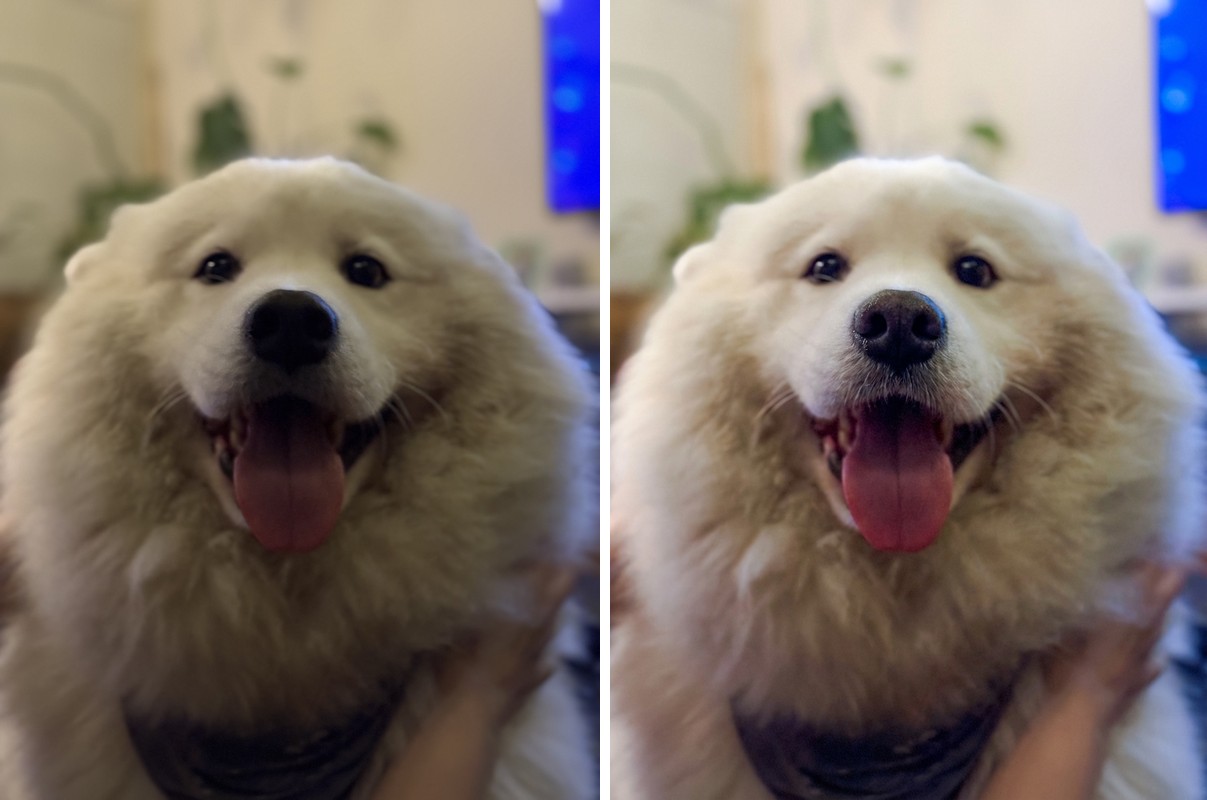
Before & After Comparison