REFRACT
Photography Analysis & Enhancement
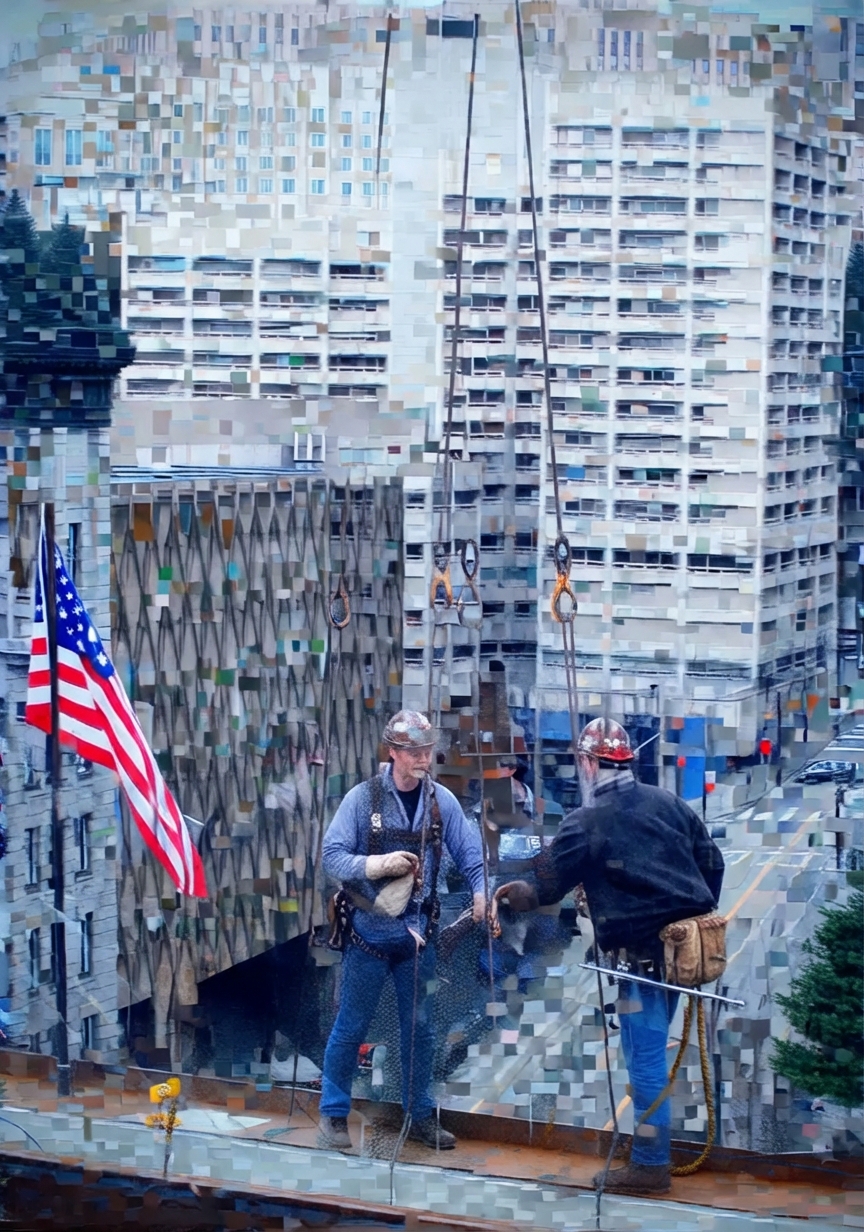
image.webp
Multi-LLM Analysis
Consensus Score
Original Review
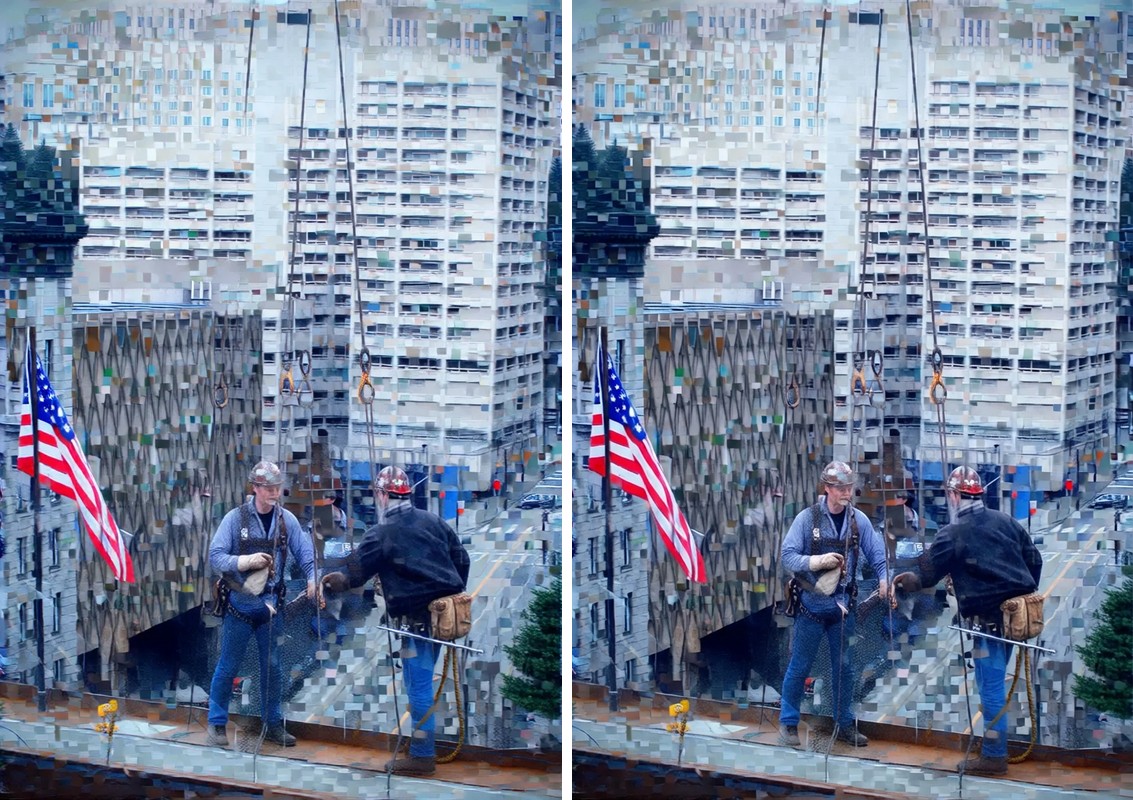
The primary issue is technical quality; the image appears to be a low-resolution file that was upscaled or heavily compressed, resulting in distinct square artifacts. Restoration is required before stylistic editing can be effective.
- Apply AI restoration or aggressive artifact removal
- Mask subject and increase Clarity and Dehaze
- Warm White Balance locally on the workers and rusty beam
The image has a compelling gritty subject, but heavy compression/mosaic artifacts dominate and reduce perceived sharpness and detail. After addressing artifacts, a tighter crop and selective contrast/brightness on the workers will improve storytelling and subject separation while maintaining the industrial mood.
- Address severe compression/mosaic artifacts: if possible, re-export from the original file at higher quality (JPEG quality 90–100) or use an AI artifact reduction tool; avoid heavy clarity/texture/sharpening which will amplify blockiness
- Crop and straighten for stronger composition: trim some of the busy upper building area and slightly reduce the bottom edge; keep the workers and flag as the visual anchors and align verticals so the building reads more stable
- Selective subject separation: apply a subtle radial/brush mask on the workers to lift exposure +0.2 to +0.4, add midtone contrast, and slightly warm their skin/clothing; apply a counter-mask to the background with -10 to -20 clarity/texture
This image has strong documentary storytelling with the juxtaposition of construction workers and urban architecture, but suffers from soft focus on the main subjects and underexposure in key areas. The pixelated building treatment appears intentional and should be preserved. Editing should focus on enhancing subject clarity and recovering shadow detail while maintaining the authentic, gritty industrial aesthetic.
- Apply selective sharpening to worker figures and flag using unsharp mask (amount 80-100, radius 1.0) with layer mask to avoid over-sharpening pixelated background
- Lift shadows globally by +15-20 and increase exposure by +0.3-0.5 stops to reveal detail in worker clothing and foreground platform
- Add warmth to midtones using split toning or temperature adjustment (+5-8 towards yellow/orange) while keeping shadows cool
Combined Improvements Applied:
- Apply AI restoration or aggressive artifact removal
- Mask subject and increase Clarity and Dehaze
- Warm White Balance locally on the workers and rusty beam
- Selectively saturate the red and blue channels on the flag
- Address severe compression/mosaic artifacts: if possible, re-export from the original file at higher quality (JPEG quality 90–100) or use an AI artifact reduction tool; avoid heavy clarity/texture/sharpening which will amplify blockiness
- Crop and straighten for stronger composition: trim some of the busy upper building area and slightly reduce the bottom edge; keep the workers and flag as the visual anchors and align verticals so the building reads more stable
- Selective subject separation: apply a subtle radial/brush mask on the workers to lift exposure +0.2 to +0.4, add midtone contrast, and slightly warm their skin/clothing; apply a counter-mask to the background with -10 to -20 clarity/texture
- Color/WB refinement: warm overall WB slightly (+200 to +500K) and reduce cyan/blue saturation in shadows; keep neutrals in the building from skewing blue
- Noise management after artifact control: apply mild luminance noise reduction (10–25) and very conservative sharpening with masking (amount low, masking high) to avoid re-emphasizing blocks
- Apply selective sharpening to worker figures and flag using unsharp mask (amount 80-100, radius 1.0) with layer mask to avoid over-sharpening pixelated background
- Lift shadows globally by +15-20 and increase exposure by +0.3-0.5 stops to reveal detail in worker clothing and foreground platform
- Add warmth to midtones using split toning or temperature adjustment (+5-8 towards yellow/orange) while keeping shadows cool
- Apply localized clarity boost (+10-15) to the American flag to enhance texture and visual prominence
- Reduce luminance noise in shadow areas using targeted noise reduction while preserving edge detail
Before & After Comparison