REFRACT
Photography Analysis & Enhancement
IMG_0205_Original.jpeg
Multi-LLM Analysis
Consensus Score
Original Review
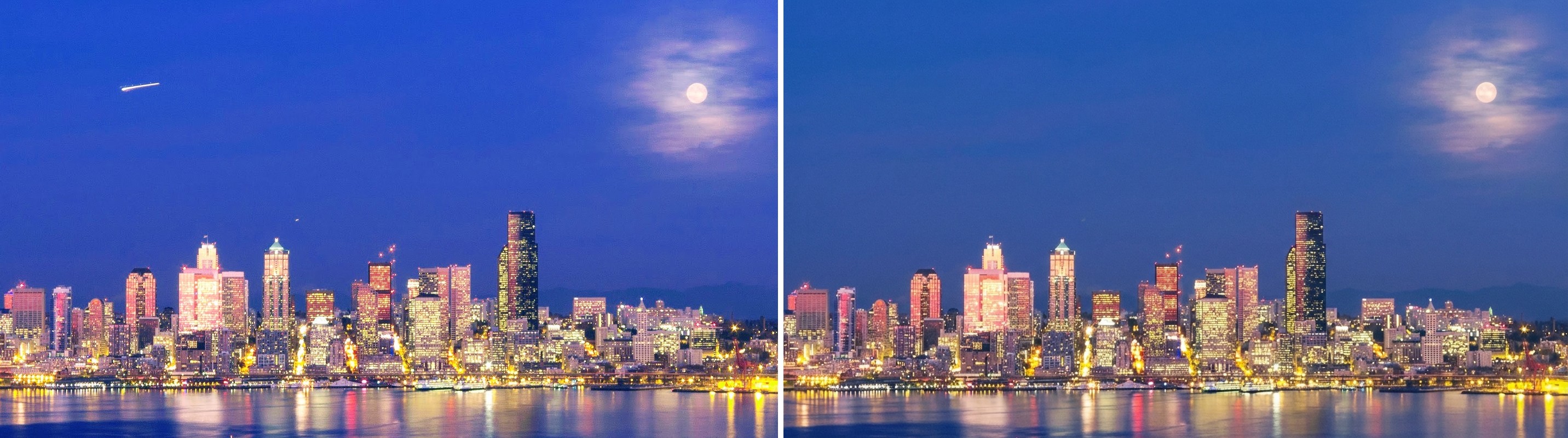
A classic composition of the Seattle skyline. The 'blue hour' aesthetic is strong, but the color cast is currently overpowering the scene; balancing the blues against the warm city lights and controlling the highlight blooming will significantly elevate the technical quality.
- Reduce Highlights and Whites by -25 to -35
- Warm White Balance temperature and slightly reduce Blue channel saturation
- Apply Luminance Noise Reduction (approx +25) with masking
Strong blue-hour cityscape with an appealing moon and reflections, but the brightest city lights feel slightly overcooked and the sky shows noticeable noise. Selective highlight control, sky-only noise reduction, and restrained local contrast/sharpening will make the skyline cleaner and more detailed while keeping the dreamy mood.
- Reduce overall highlights (-20 to -40) and pull whites slightly (-5 to -15), then use a luminance mask to selectively tame the brightest building windows/signage to prevent harsh clipping and glow
- Apply noise reduction to the sky (Luminance NR ~20–35; Color NR ~25) using a sky mask, then add a small amount of texture/clarity back to buildings only (Texture +10 to +20, Clarity +5 to +10)
- Refine white balance and color grading: warm slightly (Temp +200 to +600K) and reduce blue saturation in the sky (-5 to -15); optionally shift blue luminance down slightly (-5 to -10) to deepen the twilight tone
Analysis failed: Error code: 400 - {'type': 'error', 'error': {'type': 'invalid_request_error', 'message': 'Your credit balance is too low to access the Anthropic API. Please go to Plans & Billing to upgrade or purchase credits.'}, 'request_id': 'req_011CXamKH3G7d2hEdXngAjK9'}
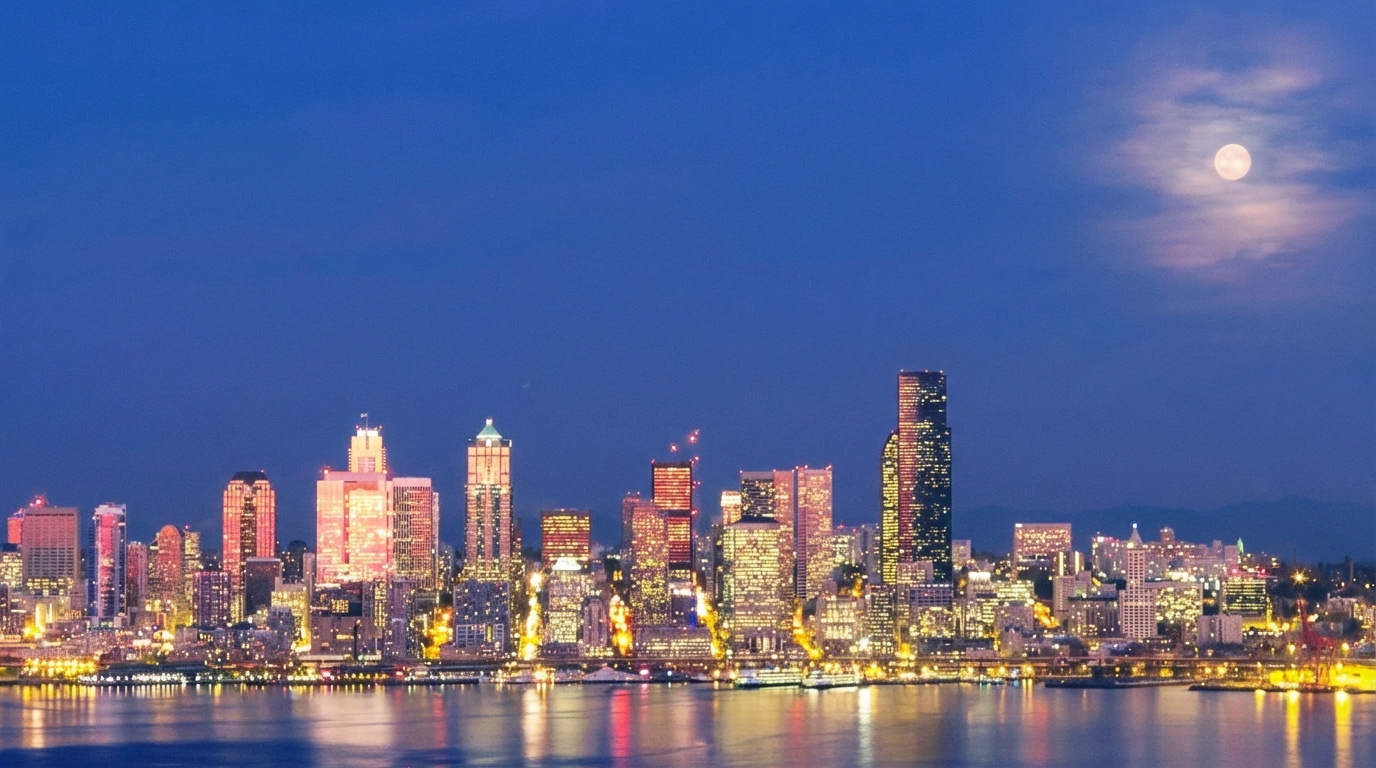
Combined Improvements Applied:
- Reduce Highlights and Whites by -25 to -35
- Warm White Balance temperature and slightly reduce Blue channel saturation
- Apply Luminance Noise Reduction (approx +25) with masking
- Spot remove the bright light streak (aircraft trail) in the upper left
- Slightly lower the Black point
- Reduce overall highlights (-20 to -40) and pull whites slightly (-5 to -15), then use a luminance mask to selectively tame the brightest building windows/signage to prevent harsh clipping and glow
- Apply noise reduction to the sky (Luminance NR ~20–35; Color NR ~25) using a sky mask, then add a small amount of texture/clarity back to buildings only (Texture +10 to +20, Clarity +5 to +10)
- Refine white balance and color grading: warm slightly (Temp +200 to +600K) and reduce blue saturation in the sky (-5 to -15); optionally shift blue luminance down slightly (-5 to -10) to deepen the twilight tone
- Enhance local contrast on the skyline with a gentle tone curve (mild S-curve) and targeted sharpening (Amount 40–70, Radius 0.7–1.0, Masking 70–90) while avoiding the sky and water
- Crop slightly from the top (and optionally a touch from the left) to reduce empty sky and place the moon closer to an upper-third intersection; keep the skyline anchored near the lower third
Before & After Comparison