REFRACT
Photography Analysis & Enhancement
608343EF-A980-4BF1-987B-980901733E5F.jpeg
Multi-LLM Analysis
Consensus Score
Original Review
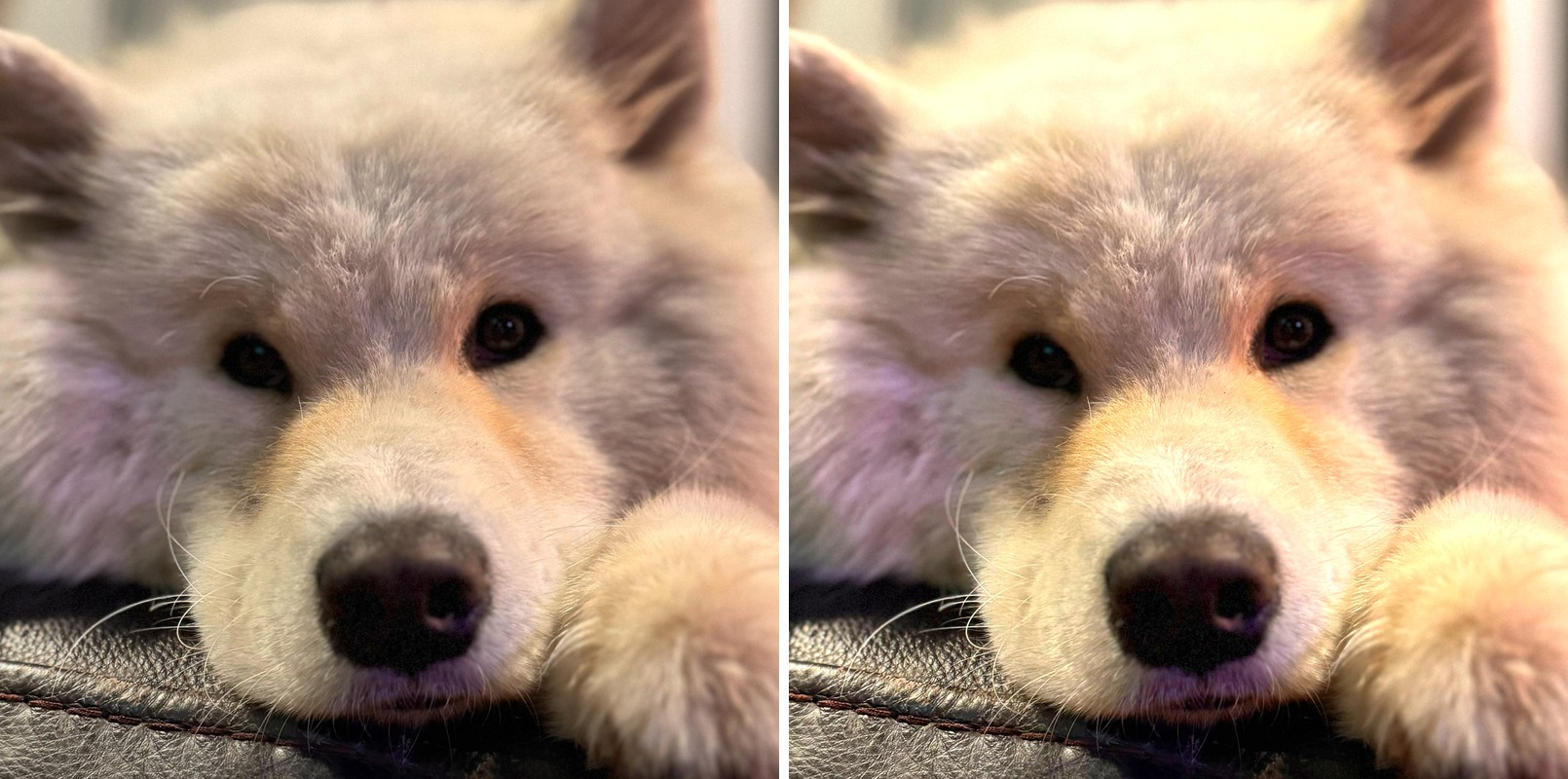
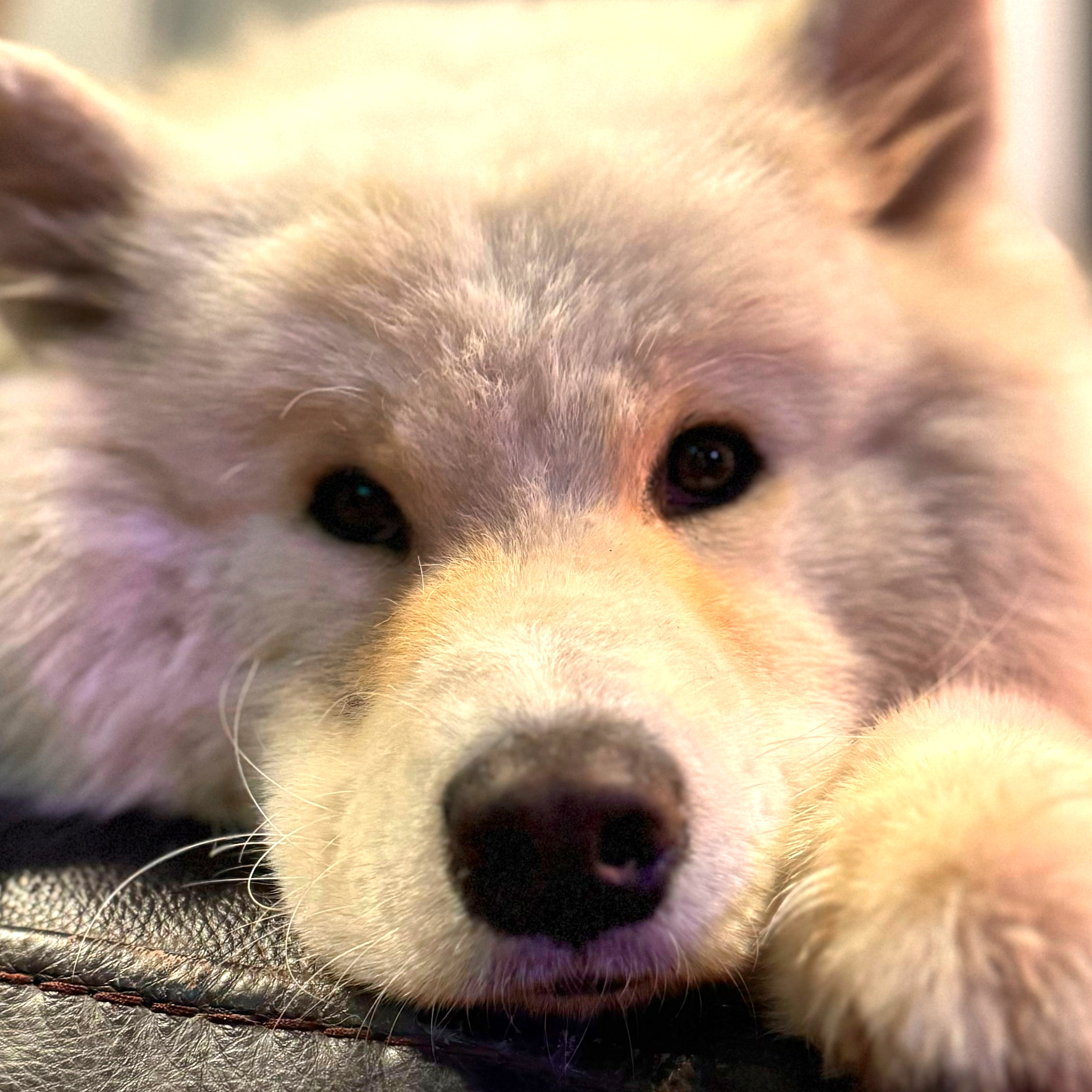
This is a charming, intimate portrait with a pleasing shallow depth of field, though the mixed lighting creates inconsistent color temperatures. Correcting the distracting purple tint and boosting eye clarity will elevate this from a casual snapshot to a polished pet portrait.
- Reduce magenta saturation specifically on the left side of the face and the nose to remove the purple color cast
- Apply a selective sharpening mask to the eyes to increase clarity against the soft focus of the nose
- Increase shadow brightness by 10-15% to better separate the dog's chin from the dark leather texture below
Analysis failed: Error code: 401 - {'error': {'message': 'Incorrect API key provided: sk-proj-********************************************************************************************************************************************************98YA. You can find your API key at https://platform.openai.com/account/api-keys.', 'type': 'invalid_request_error', 'code': 'invalid_api_key', 'param': None}, 'status': 401}
The composition and subject are endearing with good close-up framing, but the image suffers from soft focus and slight motion blur, particularly noticeable in the eyes. The lighting is decent but the white fur is slightly overexposed, losing texture detail. Improved sharpness and contrast would significantly enhance the overall impact.
- Increase sharpness by 15-20% focusing on the eye area to counteract the slight motion blur
- Reduce highlights by 10-15% on the white fur areas to recover texture detail
- Adjust focus point to be centered on the nearest eye for sharper subject clarity
Combined Improvements Applied:
- Reduce magenta saturation specifically on the left side of the face and the nose to remove the purple color cast
- Apply a selective sharpening mask to the eyes to increase clarity against the soft focus of the nose
- Increase shadow brightness by 10-15% to better separate the dog's chin from the dark leather texture below
- Adjust global white balance to harmonize the warm tones on the right with the cooler tones on the left
- Increase sharpness by 15-20% focusing on the eye area to counteract the slight motion blur
- Reduce highlights by 10-15% on the white fur areas to recover texture detail
- Adjust focus point to be centered on the nearest eye for sharper subject clarity
- Increase contrast by 8-10% to add more definition between the facial features
Before & After Comparison